The Creator Economy Isn't Just for TikTok—It’s the New Blueprint for Remote Work
For the better part of a decade, the "creator economy" has been pigeonholed as a world for influencers, YouTubers, and newsletter writers. If you aren't building a personal brand on social platforms, the logic went, this trend didn't concern you. That’s a mistake. We are witnessing a fundamental shift where the design principles of the creator economy are actively dismantling the rigid, top-down structures of the modern office.
When I look at a piece of workplace software, I don't care about its mission statement. I care about one thing: What does this look like on a Tuesday at 2:17 PM? By then, the initial morning energy has evaporated, your inbox is a disaster, and you are trying to finish a project while your Slack notifications are firing like a drum machine. If the software isn't built to handle that specific friction, it’s failing.
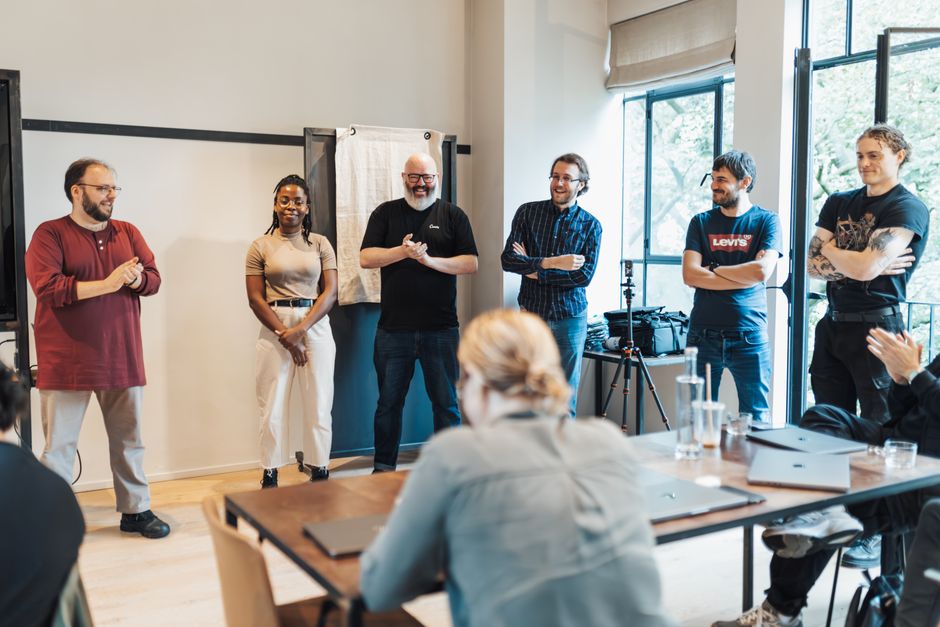
The creator economy is succeeding because it solves for attention. Workplace software is finally realizing that it needs to do the same.
The Creator Economy Definition: Reclaiming Agency
At its core, the creator economy definition is about the ability to distribute value directly to an audience using specialized, low-friction toolsets. For the freelance creator, this means using platforms like Substack, Gumroad, or OBS Studio to produce content that bypasses traditional gatekeepers. In the workplace, this manifests as employees moving away from "official" corporate suites and toward modular, highly customizable productivity applications.
We are no longer just "users" of an enterprise product. We are creators of our own workflows. When a project manager uses Notion to build a custom internal portal rather than relying on a static, pre-packaged Jira board, they are engaging in the creator economy. They are designing the UX of their team’s output.
The Streaming Influence: Friction Reduction at Scale
Why do people spend hours watching streamers on Twitch or YouTube? It’s not just the content; it’s the UX. Streaming platforms prioritize flow state. They remove the barriers between the creator and the consumer. You don’t need to configure a server to watch a stream; you click, and you’re in. You don’t need to edit a complex XML file to chat; you type and hit enter.
Enterprise software is finally adopting these patterns. We are seeing a move away from clunky, "heavy" applications that require four hours of onboarding just to understand the navigation menu.

Streaming UX Patterns in Daily Work
- Async-First Video: Tools like Loom have turned video updates from a "production" into a "conversation." This is the direct result of streaming UX patterns applied to project management.
- Zero-Click Navigation: Command palettes (like the ones found in Slack or Obsidian) allow power users to traverse their workspace without ever touching a mouse.
- Reduced Latency: Software that feels "snappy" mimics the real-time engagement of a livestream. If an application takes three seconds to load a page, you’ve lost the attention economy war.
Personalization Based on Micro-interactions
In the office, legacy software forces every employee into the same interface. It’s a one-size-fits-none approach. But if you look at how successful freelance creators build their setups—using custom dashboards, widget-heavy layouts, and automated workflows—you see a different path forward.
Modern productivity apps are now using micro-interactions to learn what you actually need. If you constantly pin a specific document to your sidebar in a tool like Notion or Coda, the system learns to prioritize that view. This is personalization. It’s not "AI" magically predicting your future; it’s software observing how you work and moving the furniture to make your Tuesday afternoon easier.
Feature Legacy Enterprise Tools Creator-Influenced Tools User Interface Static, uniform layouts Modular, block-based, customizable Navigation Deep menu hierarchies Command-palette & search-first Data Entry Rigid forms Fluid, rich-media blocks Feedback Loop Annual software updates Continuous micro-updates
Gamification: A Tool, Not a Trap
I am generally skeptical of gamification. Usually, it’s a cheap way to mask bad software design with badges and progress bars. However, when applied correctly in the context of remote work, it serves as a way to visualize progress in a vacuum.
When you work remotely, you don’t have the visual cue of people around you working. You have a cursor blinking on a screen. Gamification mechanics—like completion streaks, transparent milestone trackers, or collaborative "edit" indicators—provide that missing social proof. It reminds the employee that they are part of a shared project. It’s the difference between staring at a spreadsheet and seeing a progress bar fill up while a teammate works in the same file.
The "Tuesday at 2:17 PM" Test
When evaluating whether a tool actually improves remote work, I ask myself if it helps me get through the "mid-afternoon slump."
On a Tuesday at 2:17 PM, you don't want a "holistic digital transformation." You want to find the link you saved yesterday, you want to see if your coworker finished their section of the brief, and you https://seo.edu.rs/blog/decision-architecture-how-your-work-tools-are-engineering-your-choices-11124 want to close your tabs as quickly as possible so you can get back to deep work.
The tools influenced by the creator economy allow for this. They allow you to set up "views" that hide the clutter. They provide notifications that are meaningful rather than just noisy. They respect your time by reducing the clicks required to execute a task.
Why Remote Work Norms Are Shifting
The traditional office relied on "presence" as a proxy for productivity. Remote work forces us to rely on output. This is where the freelance creator mindset becomes essential. Freelancers know that if they don't produce, they don't get paid. There is no middle manager to hide behind.
Remote work norms are evolving to reward this sense of individual ownership. The teams that thrive aren't the ones mandating 9:00 AM Zoom standups; they are the teams that build a "content library" of their own work—using documentation, async video, and shared project spaces—so that everyone can access what they need, exactly when they need it, without asking for permission.
The Verdict: Don't Buy the Hype, Buy the Utility
If you see a vendor promising "game-changing" results or "total workplace harmony," close the browser tab. Those are empty claims. Instead, look for tools that offer modularity. Look for platforms that allow you to build workflows rather than just follow them.
The creator economy has proven that when how entertainment industry influences remote culture you give people the right tools to build, they will create more value than if you force them to follow a rigid script. Remote work is finally catching on to this reality. The best way to manage a remote team isn't to monitor their screens; it's to give them a digital workspace that feels as intuitive, responsive, and personalized as the platforms where they choose to spend their leisure time.
Stop trying to digitize the office. Start building a workspace that feels like a platform.

Public Last updated: 2026-06-17 02:12:32 AM